8.1quiz_editor - Prepare and encode the question file - 🧑🏫 🏫
Manual preparation is possible for small databases, but a specific editor has also been created to allow editing and various operations (extraction, encoding, encryption, conversion to other formats).
This editor is available here:
https://
8.1.1Installation
🛠 In addition to cloud deployment, the application can also be installed locally using from pypi by
pip install quiz-editor or from git
pip install git+https://github.com/jfbercher/labquiz.git#subdirectory=quiz_editorAn entry point is provided, allowing it to be used directly from the command line by simply invoking
quiz_editor [FILENAME.yaml]8.1.2Features
It allows you to edit the files whose structure has been described in Section 4.1 and has some additional features:
👉🏼 preview with large markdown support (formatting, lists, images, tables, maths, ...), also supported in exports
👉🏼 ability to define categories and tags, and to select questions by filtering on categories and tags,
👉🏼 define variables generation for templates,
👉🏼 extraction and saving of some of the questions,
👉🏼 preparation of an encoded or encrypted version (as described above),
👉🏼 conversion to AMC- format, so that questions can be reused in a paper-based AMC multiple-choice quiz, (Categories are used to define the
\elementtype). There are two options available for handling “template” questions:
➤ a “static” export, where values are generated once for the variables (based on the generation formula, e.g.,
rng.integers(1,10)) and reused for all copies. An example of output here➤ a “dynamic” export using python (a LaTeX package that must be installed), which allows different values to be generated for each copy. Thus each students’ sheets are differents. This requires a small additional configuration in AMC (see footnote[1]). An example of output here
👉🏼 conversion to HTML format. Two options available:
➤ Dynamic HTML. A “dynamic” export with integrated answers and correction so that a “self-assessment” web page can be easily created. This has support for templates questions, where values are dynamically regenerated[2] at startup and after each reset -- an example of the export result here
➤ HTML exam, without answers, and with real-time submission of results to a Google Sheet, with subsequent correction, as described in or using the dashboard as described below Section 8.1 -- example here. Support for dynamic generation of variables (each student session is different) is in progress. The export is static for now.
8.1.3Commented examples
The following animated GIF examples show:
a quick tour of the editing interface for a multiple-choice question, demonstrating how to edit questions, options, hints, feedback, and answers; Markdown preview, category and tag definition, question selection, the export menu, etc.
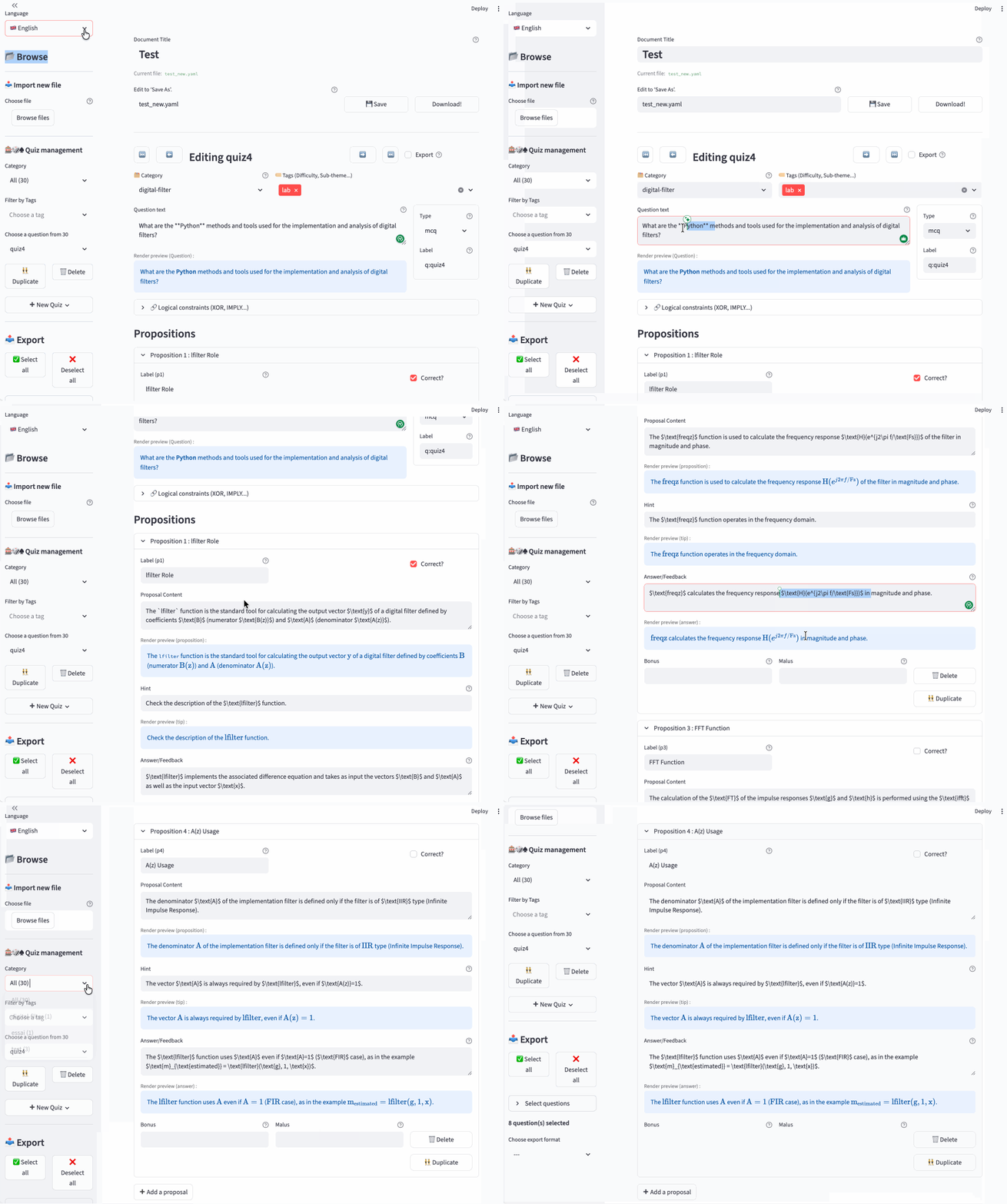
Figure 21:quiz_editor -- Quick tour of the interface. editing a question, with category, tags, choice of question type (multiple choice, numeric, etc.), editing a proposition -- correct or incorrect, hint (tip), answer (displayed during correction), bonus, penalty, etc; exports.
three examples using templates; the first two in numerical format, and the last one as an MCQ. These examples demonstrate the ability to use figures[3] and tables in questions, to use template parameters with automatically generated values in the question stem and propositions (with optional formatting of numerical values[4]), as well as to calculate the expected solutions (Boolean or numerical)[5].
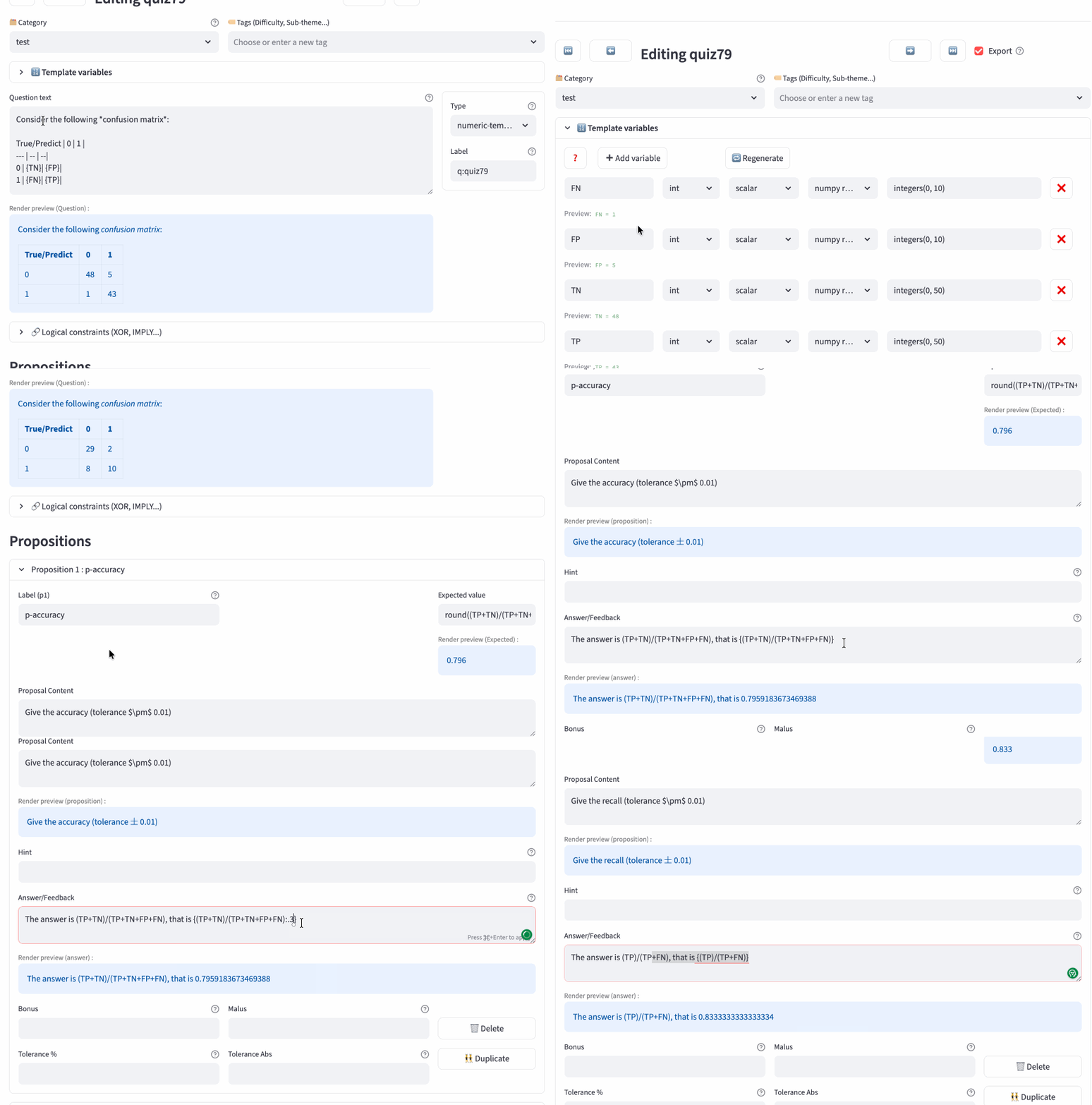
Figure 22:quiz_editor -- example of numeric-template usage for a confusion matrix, with potentially external variables, including an editor preview of the table based on automatically generated variables.
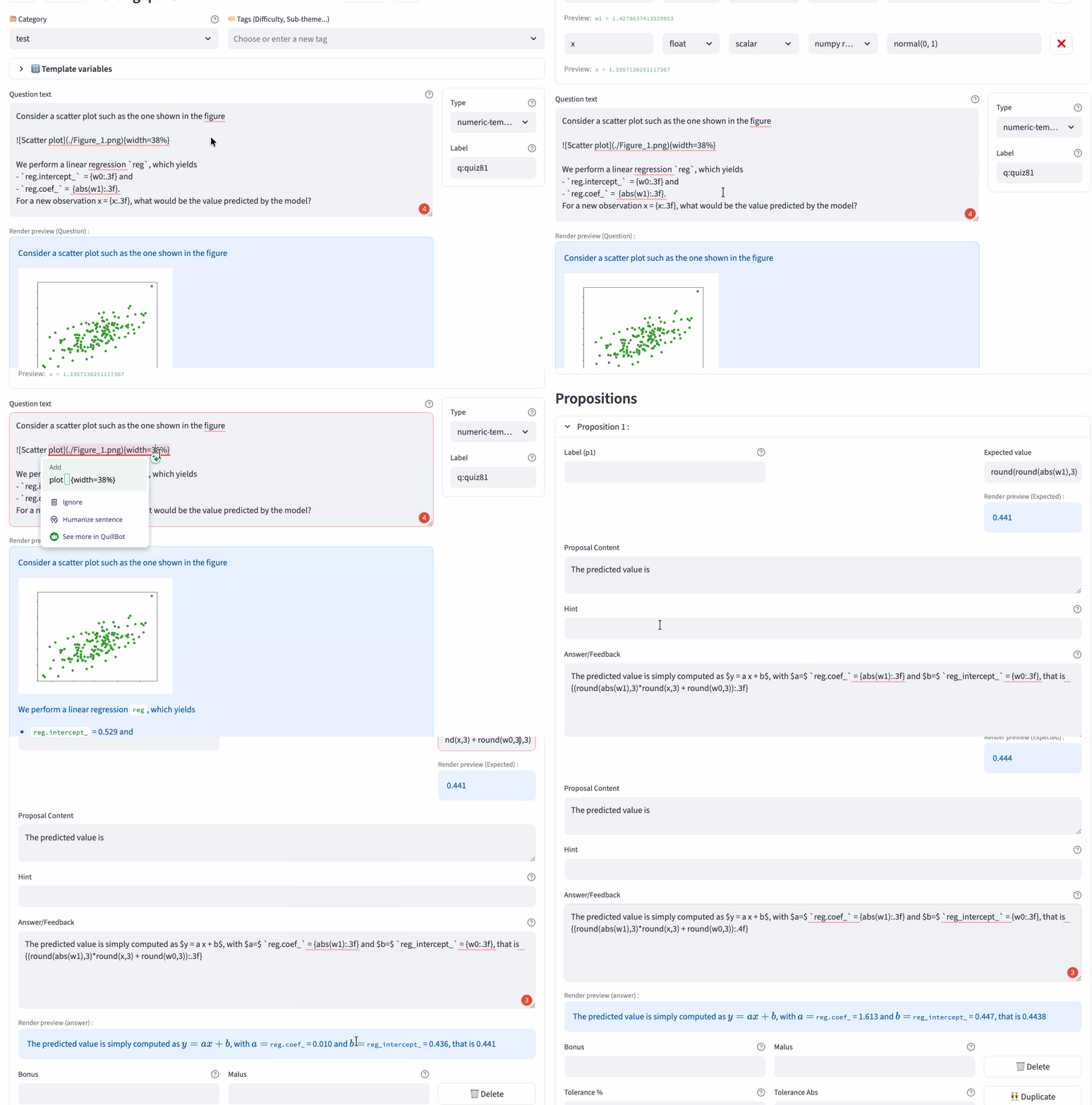
Figure 23:quiz_editor -- example of numeric-template usage for a linear regression, with potentially external variables, including an editor preview of a scatter plot, and parameters and solution computed using the automatically generated variables.
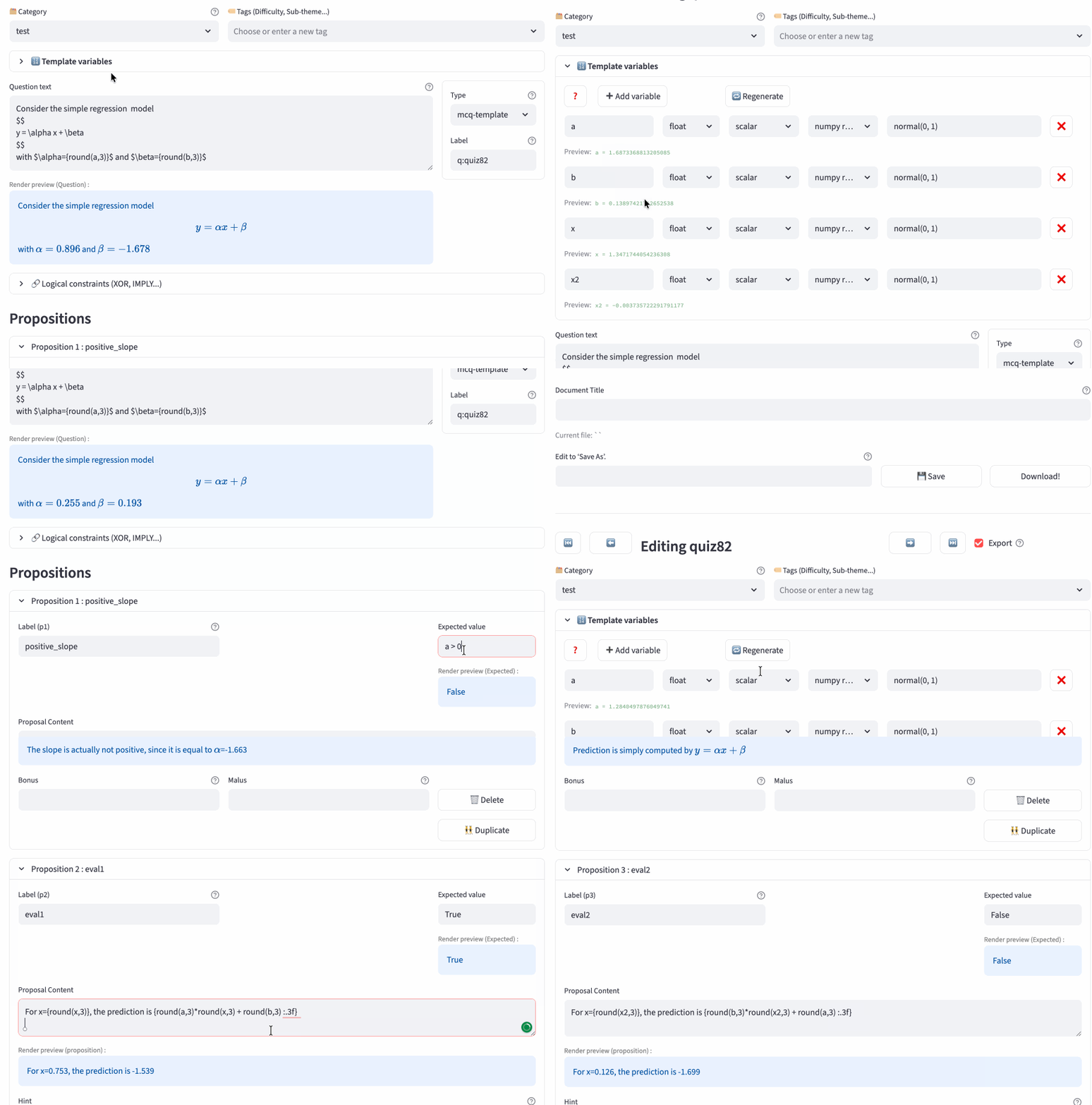
Figure 24:quiz_editor -- example of MCQ-template usage for a linear regression, with potentially external variables, including an editor preview of a scatter plot, and parameters and solution computed using the automatically generated variables.
Keep in mind that the original idea behind specifying parameters for questions—the “template-questions”—is to use parameters obtained during experiments in a Jupyter notebook. These parameters can be provided as context for the question. For practice multiple-choice quizzes or exams, the ability to randomly generate new values allows for different test questions and different exam copies to be created.
Below, you will find different versions of a question compiled from the Python export, corresponding to the confusion matrix shown in editor Figure 22
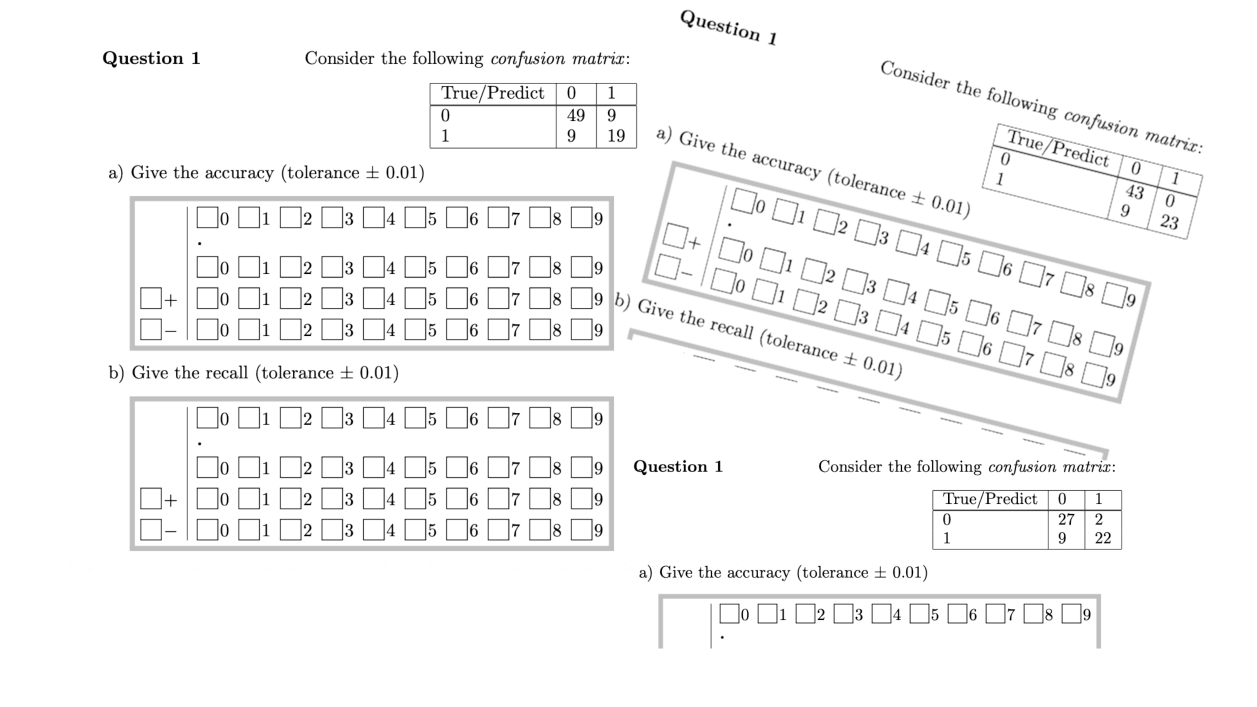
Figure 25:quiz_editor -- AMC- (python) export example
An HTML practice test using the questions above can be viewed here. An animated-gif shows generation and answers in the dynamic HTML output, corresponding to the confusion matrix shown in editor Figure 22
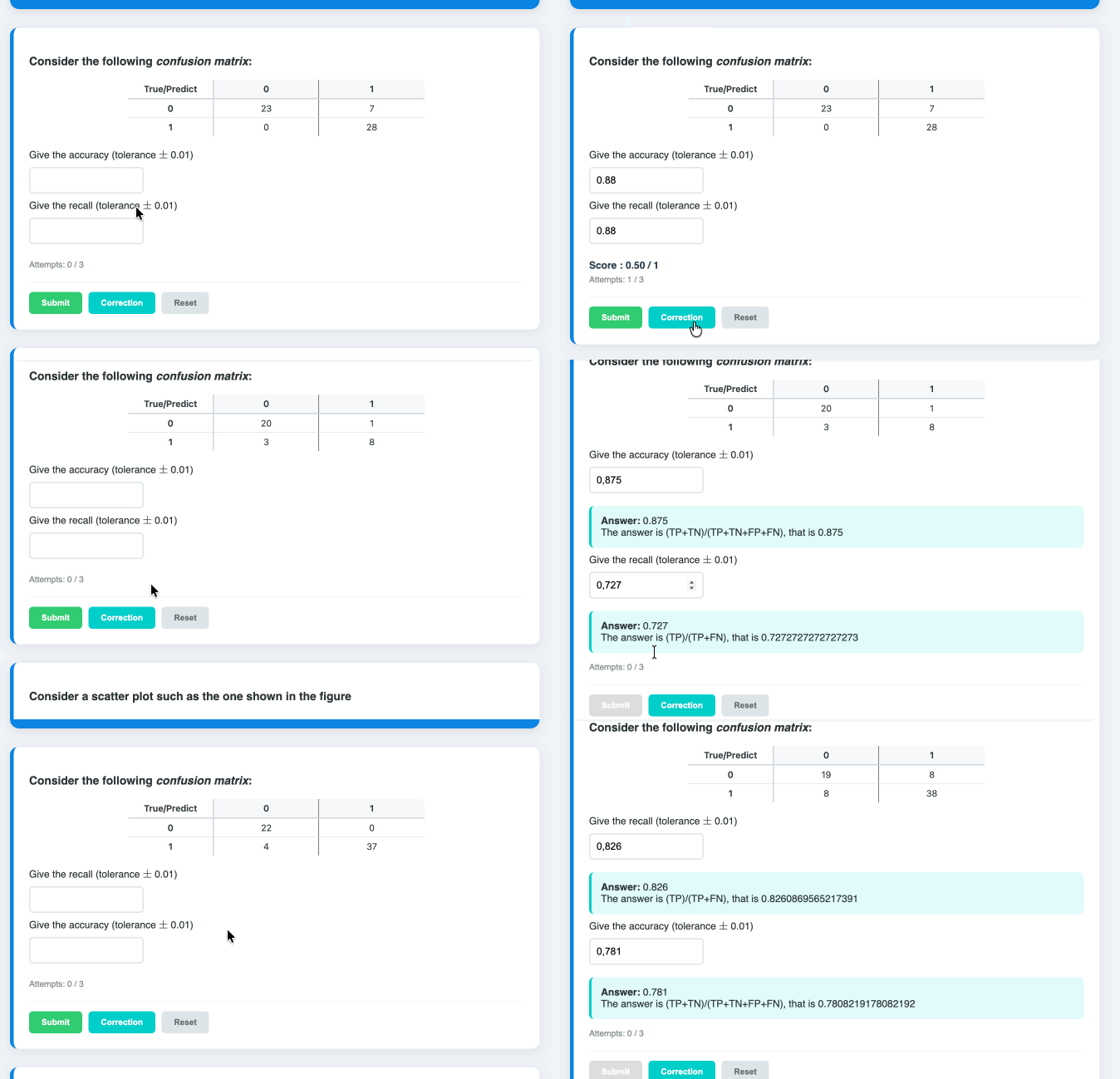
Figure 26:quiz_editor -- dynamic HTMl example
Use the
prePythonTex4AMCfile and add 3 lines at the beginning of the LaTeX file. A template and examples are provided in the extras/pythontex _template. Some documentation (in french) is avalaible here, here or here. Values are generated by javascript interpreting the initial python formula, with support for standard maths ops (int, float, round, min, max, abs, etc). Of course, python idioms or packages are obviously not supported in JS.
For images, pandoc syntax with size attributes is supported
{width=x% heigth=y%}. By default, images are inserted inline. To obtain a ``dispayed’’ image, put it on its own paragraph (blank line before and after) and use a non empty alt text (required) that will be used for caption. The LaTeX export will display the image in a center environment.E.g., {a+b:3f} computes the sum of
aetband displays the sum with 3 decimals.Note that expected values must be computed explicitely, e.g. use
round(a+b,3)instead of {a+b:3f} which shall be used only for display.